
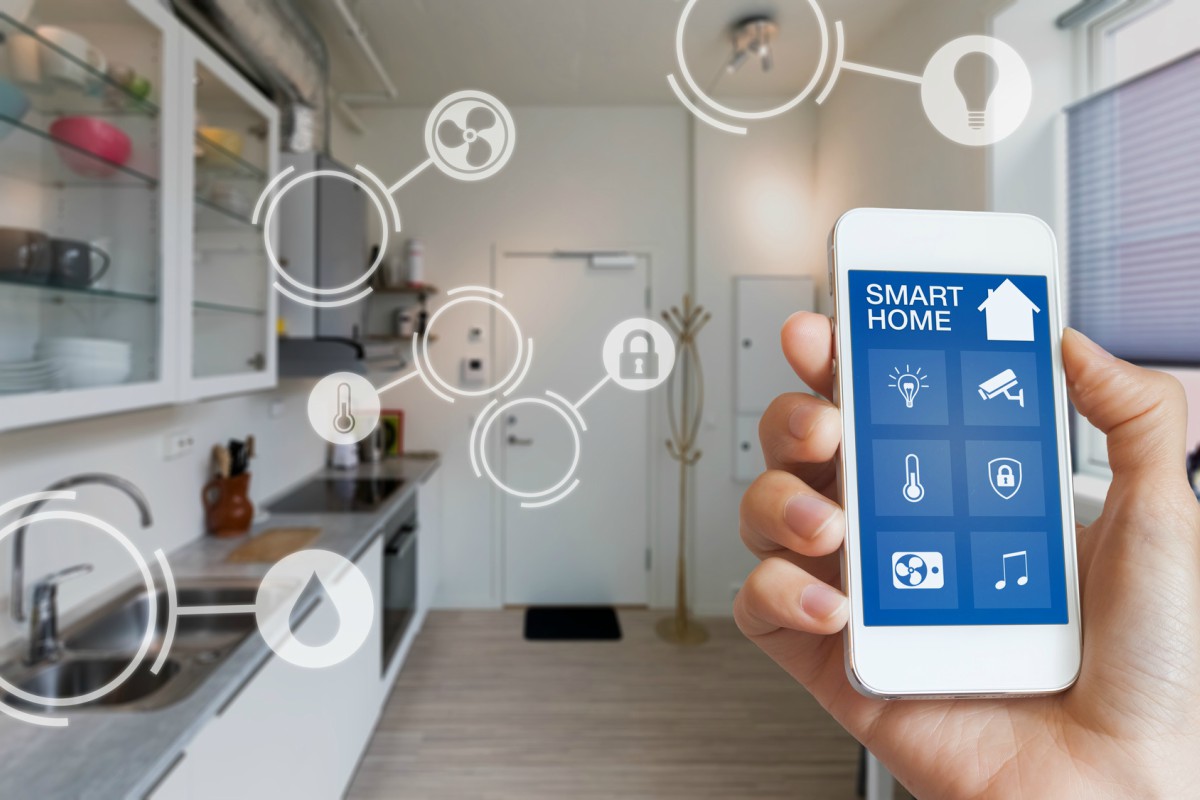
Smart home technology is changing the way people manage their houses. Devices that once required manual operation can now connect to smartphones, respond to voice commands, and perform certain tasks automatically. Homeowners can control lighting, adjust indoor temperatures, monitor entry points, and manage household appliances with greater convenience.
These technologies are not only designed to make daily routines easier. Many smart devices can also improve home security, help reduce unnecessary energy consumption, and provide better control over different areas of a property.
However, choosing the right equipment requires some planning. Not every smart device is necessary for every household, and some products may require specific internet connections, hubs, or compatible systems. Understanding how these technologies work can help homeowners make practical decisions.
What Is Smart Home Technology?
Smart home technology refers to connected devices and systems that allow homeowners to monitor, control, or automate household functions. These devices commonly communicate through Wi-Fi, Bluetooth, or specialized wireless protocols.
Many smart products can be managed through a mobile application. Some also work with voice assistants, allowing users to control compatible equipment by speaking simple commands.
For example, a homeowner might use a smartphone to turn off a living room light, check a security camera, or adjust the thermostat while away from home.
Smart home systems can also perform automatic actions based on schedules, sensors, or other conditions. A smart light may turn on when someone enters a room, while a thermostat can adjust the temperature according to a programmed routine.
The main purpose is to make household management more convenient, responsive, and efficient.
Smart Security Cameras for Monitoring Your Property
Security cameras are among the most popular smart home devices. They allow homeowners to monitor selected areas of their property through live video and recorded footage.
Indoor cameras can help keep an eye on pets, children, or activity inside the home. Outdoor models are designed to monitor entrances, driveways, gardens, and other exterior areas.
Many smart cameras include features such as:
- Motion detection and activity alerts.
- Night vision for low-light conditions.
- Two-way audio for communication.
- Live video viewing through mobile applications.
- Cloud or local video storage.
- Custom activity zones to reduce unnecessary alerts.
Some cameras can distinguish between people, vehicles, and general movement, depending on the model.
Before buying a camera, check its video quality, storage options, weather resistance, subscription requirements, and compatibility with your existing devices. Privacy should also be considered. Position cameras carefully and avoid recording areas where people reasonably expect privacy.
Smart Doorbells for Better Entryway Security
A smart doorbell combines a traditional doorbell with a connected camera and communication system. When someone approaches the front door or presses the button, the device can send an alert to the homeowner’s phone.
Many models allow users to see visitors and speak with them through two-way audio, even when they are not at home.
This can be useful when receiving deliveries, checking unexpected visitors, or monitoring activity near the entrance.
Some smart doorbells include motion detection, night vision, and video recording. Certain models also offer package detection, although the availability of this feature varies.
Before installation, check whether the doorbell requires existing wiring or uses a rechargeable battery. You should also review its Wi-Fi requirements and whether recorded footage requires a paid subscription.
Smart Locks for Convenient Door Access
Smart locks provide another way to manage home entry. Instead of relying only on traditional keys, many models allow users to unlock doors through a smartphone, keypad, access code, or compatible smart home system.
They can be particularly useful for families, rental property owners, and people who frequently need to provide temporary access to visitors or service workers.
Depending on the model, smart locks may offer:
- Temporary access codes.
- Automatic locking after a selected period.
- Remote locking and unlocking.
- Entry activity records.
- Notifications when the door is locked or unlocked.
Some smart locks connect directly to Wi-Fi, while others require Bluetooth or a separate hub for remote access.
Security should remain the main priority when choosing one. Look for strong encryption, reliable authentication, regular software updates, and a secure backup method in case the battery runs out or the electronic system stops working.
Smart Lighting for Comfort and Energy Savings
Smart lighting allows homeowners to control compatible bulbs, switches, and lighting systems through applications, schedules, and voice commands.
For example, you can turn off bedroom lights from your phone without getting out of bed. You can also schedule outdoor lighting to operate during selected evening hours.
Some smart lighting systems support dimming and adjustable color temperatures. This allows users to create brighter lighting for work or softer lighting for relaxing.
Motion sensors can also help reduce unnecessary energy use. A light in a hallway or storage area can turn on when movement is detected and switch off after the space becomes empty.
Smart bulbs are easy to install in many standard fixtures, but smart switches may be a better option when controlling several lights together. Check wiring requirements before purchasing a switch because some models require a neutral wire.
Smart Thermostats for Better Temperature Control
Heating and cooling systems can account for a significant part of household energy consumption. A smart thermostat can help homeowners manage indoor temperatures more conveniently.
These devices allow users to adjust temperature settings through mobile applications and create schedules based on daily routines.
For example, a homeowner can reduce heating or cooling when the house is empty and return to a comfortable setting before arriving home. Some models can learn usage patterns or use occupancy information to make automatic adjustments.
Potential benefits include:
- Remote temperature control.
- Customized heating and cooling schedules.
- Energy usage reports.
- Automatic temperature adjustments.
- Integration with compatible smart home systems.
However, not every thermostat works with every heating and cooling system. Check wiring, equipment compatibility, and installation requirements before purchasing one.
A smart thermostat can support better energy management, but savings depend on the home’s insulation, climate, equipment, and how the device is configured.
Smart Plugs for Controlling Everyday Appliances
Smart plugs are small devices that connect between a wall outlet and a compatible electrical appliance. They allow users to switch certain devices on or off through an application or automated schedule.
For example, a homeowner might use one to control a table lamp, a fan, or a small household device that does not need to operate continuously.
Some smart plugs also provide energy monitoring, showing how much electricity a connected appliance uses.
They can be useful for:
- Scheduling lamps and selected electronics.
- Turning off compatible devices remotely.
- Creating automated household routines.
- Monitoring electricity consumption on supported models.
Smart plugs are not suitable for every appliance. High-power equipment, heating devices, refrigerators, and appliances with special power requirements may need dedicated controls or should not be used with an ordinary smart plug.
Always check the product’s electrical rating and the appliance manufacturer’s instructions.
Smart Smoke and Carbon Monoxide Detectors
Safety devices are an important part of a connected home. Smart smoke alarms and carbon monoxide detectors can provide alerts through mobile applications when supported by the product.
Some connected alarms can notify homeowners about detected smoke or carbon monoxide even when nobody is inside the property.
Certain systems also allow multiple alarms to communicate, so an alert in one part of the home can activate other compatible alarms.
These features can provide additional awareness, but smart connectivity should never replace proper safety equipment. Install alarms in the locations recommended by the manufacturer and follow local building and fire safety requirements.
Test detectors regularly, replace batteries when necessary, and replace the complete unit according to its service life. Carbon monoxide is particularly dangerous because it cannot be seen or smelled, making properly maintained detectors essential.
Smart Water Leak Sensors for Early Warnings
Water leaks can damage floors, walls, furniture, and electrical equipment. A small leak under a sink or near a washing machine may go unnoticed until it creates a larger problem.
Smart water leak sensors are designed to detect moisture and send alerts when water reaches the sensing area.
They can be placed near:
- Kitchen sinks.
- Bathroom plumbing.
- Water heaters.
- Washing machines.
- Dishwashers.
- Basement pipes and utility areas.
Some advanced systems can connect to automatic water shutoff valves. If a serious leak is detected, the system may close the main water supply, depending on its configuration.
These sensors are relatively simple additions that can provide useful early warnings. However, they should be installed in locations where leaks are most likely to occur and checked periodically to confirm they are working.
Smart Speakers and Voice Assistants
Smart speakers provide voice control for compatible home devices. They can help users manage lights, thermostats, music, reminders, and other connected equipment without opening a mobile application.
For example, a homeowner might ask a voice assistant to turn off the lights, adjust the room temperature, or check the weather.
These speakers can also connect different devices into routines. A single command might turn off selected lights, lower the thermostat, and activate compatible security settings.
Before choosing a smart speaker, check which products and communication standards it supports. Also review microphone settings, voice recording controls, and privacy options.
How Smart Home Technology Can Reduce Energy Use
Connected devices can make it easier to identify and reduce unnecessary energy consumption. However, the amount saved depends on how the devices are used.
Smart thermostats can reduce heating and cooling when rooms are unoccupied. Smart lighting can switch off automatically when nobody is present. Energy-monitoring plugs may help identify appliances that consume more electricity than expected.
Homeowners can use this information to make better decisions about everyday energy use.
For example, if an energy monitoring device shows that a particular appliance uses considerable electricity, you may decide to adjust its operating schedule or replace it with a more efficient model.
Smart technology works best when combined with practical habits such as switching off unused equipment, maintaining heating and cooling systems, sealing air leaks, and improving home insulation.
Choose Devices That Work Together
One challenge with smart home technology is compatibility. Different brands may use different applications, wireless standards, and communication systems.
Before purchasing several devices, decide how you want to control them. Some households prefer products from one manufacturer, while others choose equipment that supports a shared smart home platform.
Matter is a smart home connectivity standard designed to improve compatibility between supported products and platforms. However, not every feature works identically across all systems, so checking device specifications remains important.
You should also consider whether a device needs a separate hub, a reliable Wi-Fi connection, or a particular smartphone operating system.
Buying compatible products from the beginning can reduce setup problems and make future expansion easier.
Protect Your Smart Home Devices From Security Risks
Connected devices can collect information about household routines, movement, and activity. If they are not configured properly, they may create privacy and cybersecurity risks.
Use strong, unique passwords for smart home accounts and enable multi-factor authentication whenever available.
Keep device software and mobile applications updated. Updates may include security fixes, performance improvements, and compatibility changes.
It is also sensible to secure your home Wi-Fi network with a strong password and modern encryption. If your router supports a separate network for smart devices, consider using it to help isolate connected equipment from computers and personal devices.
Review application permissions and disable features you do not need. Choose products from manufacturers that provide clear privacy information and a reasonable update policy.
Start With a Few Useful Devices
You do not need to turn your entire property into a connected home at once. Starting with a few devices can help you understand the technology without spending too much money.
For many households, a smart doorbell, a few smart lights, a water leak sensor, or a compatible thermostat can provide practical benefits.
Think about the problems you want to solve first. If home security is your main concern, consider cameras, door sensors, or smart locks. If energy management is more important, look at thermostats, lighting controls, and energy-monitoring devices.
Compare installation costs, subscription fees, warranty terms, and ongoing maintenance requirements before making a purchase.
Making Your Home Smarter and More Comfortable
Smart home technology offers useful ways to manage security, comfort, and energy consumption. Cameras and smart doorbells can improve awareness around entry points, while connected locks provide additional control over home access. Thermostats, lighting systems, and smart plugs can make everyday routines easier and help reduce unnecessary energy use.
The best approach is to choose devices that solve real household problems rather than purchasing products simply because they are available. Check compatibility, protect your network, understand privacy settings, and maintain connected equipment regularly.
With careful planning, even a few well-chosen smart devices can make a home more convenient, secure, and efficient.
